Sandbox
What it's for
The Sandbox is a safe, no-integration-required way to try TrustVision's products before committing engineering time to a live integration, or to spot-check behavior at any point afterward. It's the natural first stop for a new account, and the fastest way to answer "what would this actually give us?" without writing any code.
How it works
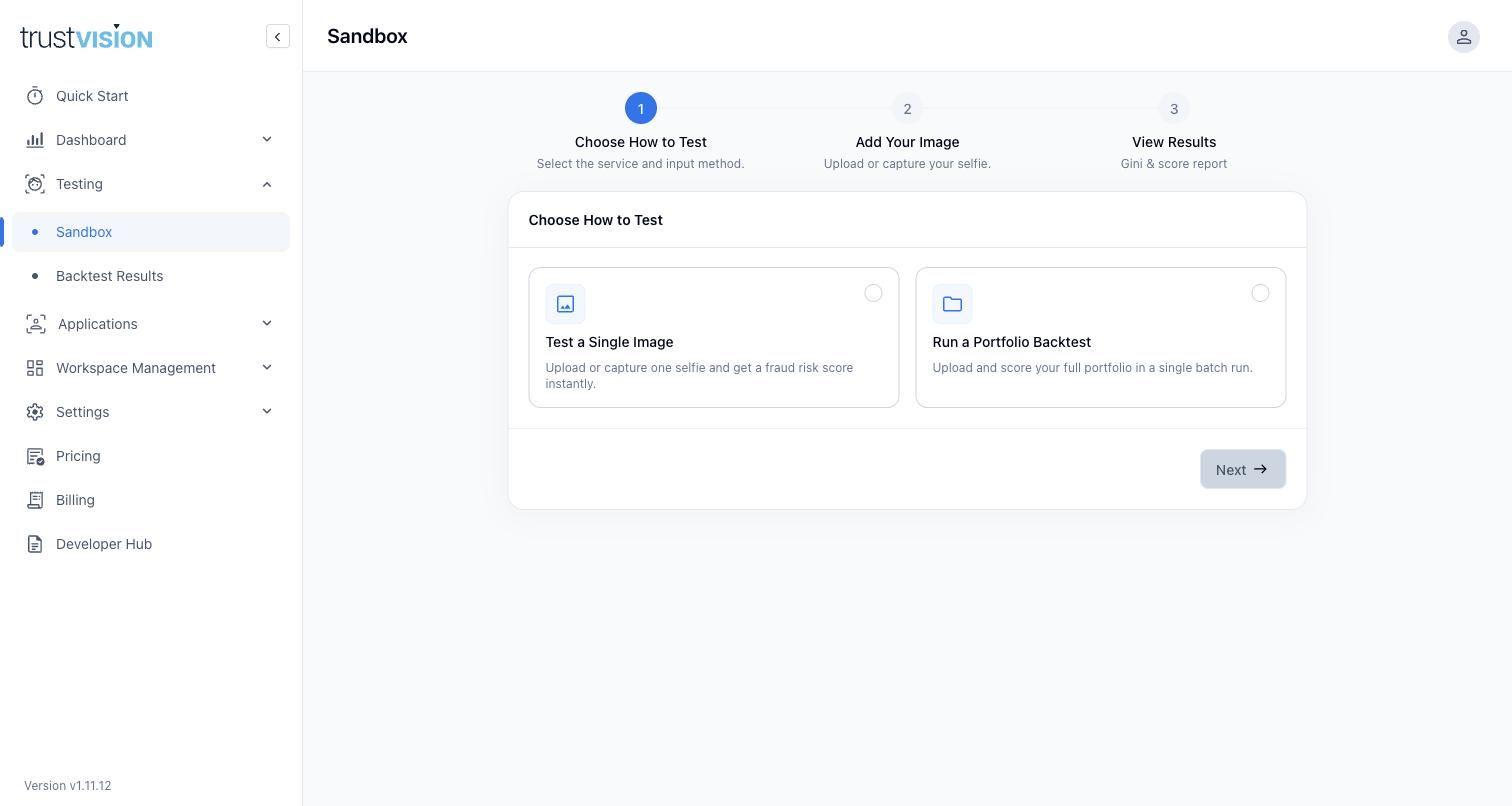
The Sandbox walks through three steps:
- Choose How to Test — pick between:
- Test a Single Image — upload or capture one selfie and get a risk score back instantly. Good for a quick, ad hoc sanity check — a poor-quality photo, an edge case, or an internal stakeholder demo.
- Run a Portfolio Backtest — upload and score a batch of images from your existing portfolio in one run. This is the standard, statistically meaningful step between trying the demo and requesting a production plan; see Backtesting & Fine-Tuning for how to interpret backtest results.
- Add Your Image — upload a photo, drag and drop a JPG/PNG, pick one of three built-in sample faces, or capture a live selfie with your camera. The built-in sample faces are useful for demos when you don't want to use a real person's photo.
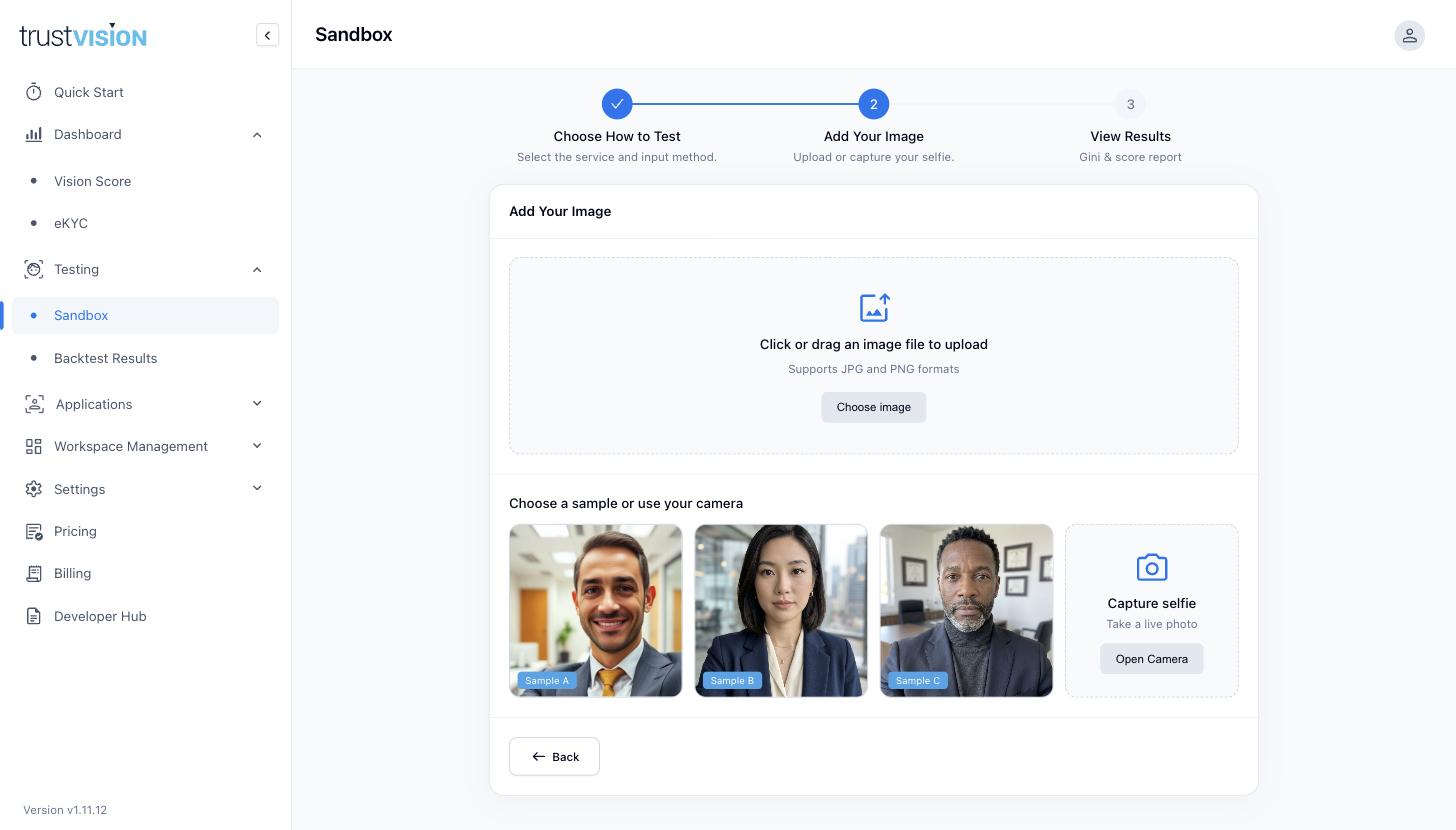
- View Results — see the resulting score (and, for a portfolio backtest, a performance report).
The Sandbox is fully isolated from production — nothing you test here appears in the Applications list or affects your live Dashboard numbers.
Related areas
- For validating Vision Score against a full historical portfolio (rather than one-off tests) and requesting a model fine-tuned to your data, see Backtesting & Fine-Tuning.
- Once you're ready to move from testing to production, see Billing & Plans for plan selection, and coordinate with your TrustVision account team for the live API integration.