eKYC Dashboard
What it's for
The eKYC Dashboard is where you monitor how your onboarding journey is performing — how many applicants complete it, how many get approved, how long it takes, and where in the journey people are dropping off or getting rejected. This is your primary tool for spotting friction in onboarding before it shows up as a business problem (abandoned applications, support tickets, or a spike in manual review).
What you can see
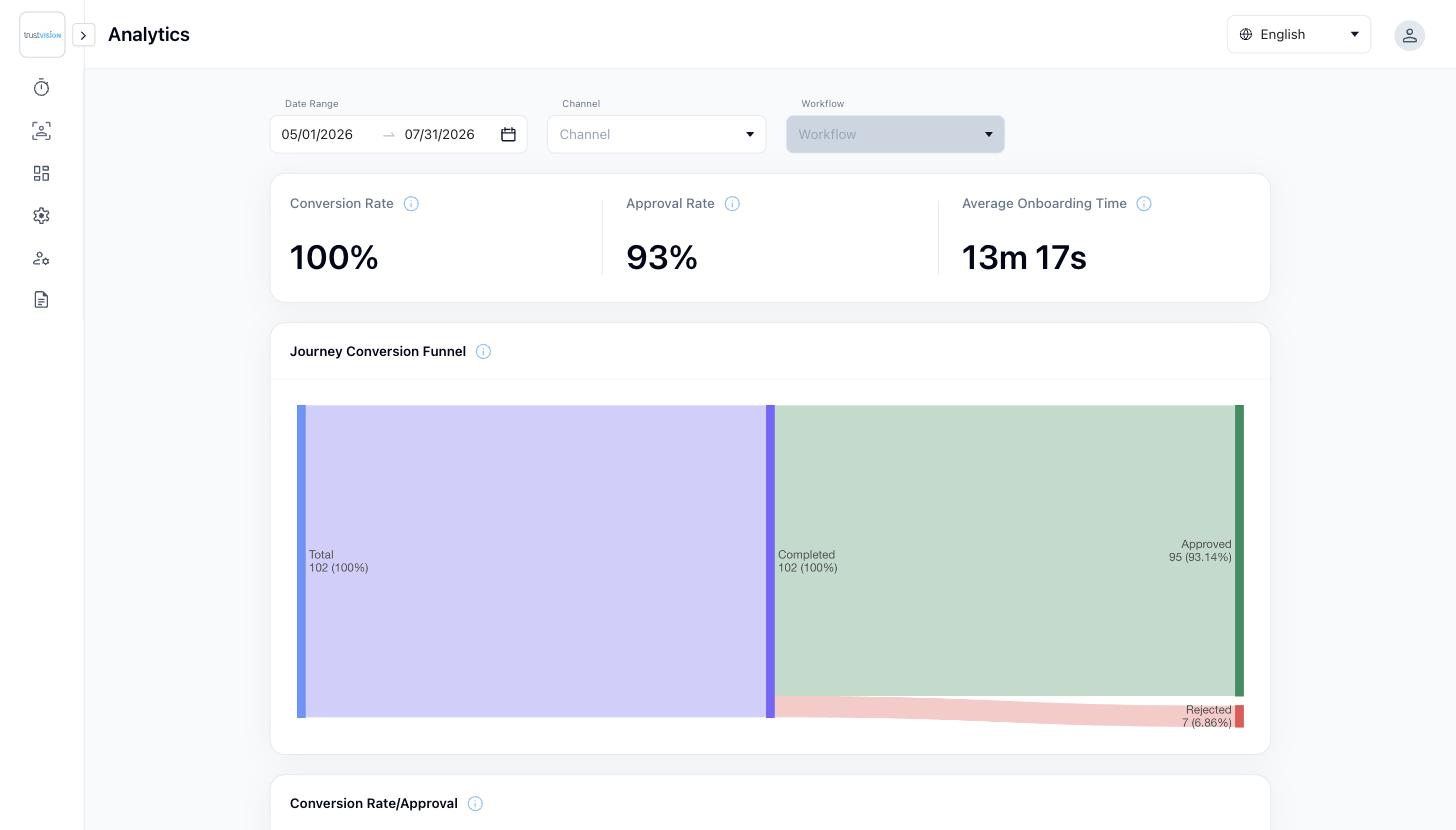
Summary metrics (for the selected date range, channel, and workflow — filter by Channel and Workflow rather than reading blended account-wide numbers):
- Conversion Rate — share of applicants who started the journey and completed it.
- Approval Rate — share of completed applications that received an Approved verdict.
- Average Onboarding Time — how long, on average, applicants take to get through the full verification journey. A rise here with no change to your workflow usually points to a device or connectivity issue on the applicant's side, not a backend problem.
Journey Conversion Funnel — a step-by-step view of the verification journey (e.g. ID capture → NFC → Selfie), showing where applicants drop off. This is the fastest way to identify a specific step that's causing abandonment — for example, if conversion falls sharply at the NFC step, that step may be too difficult on certain devices or for certain document types. Check it after every workflow or document-type change, since it's the earliest signal something isn't working as expected.
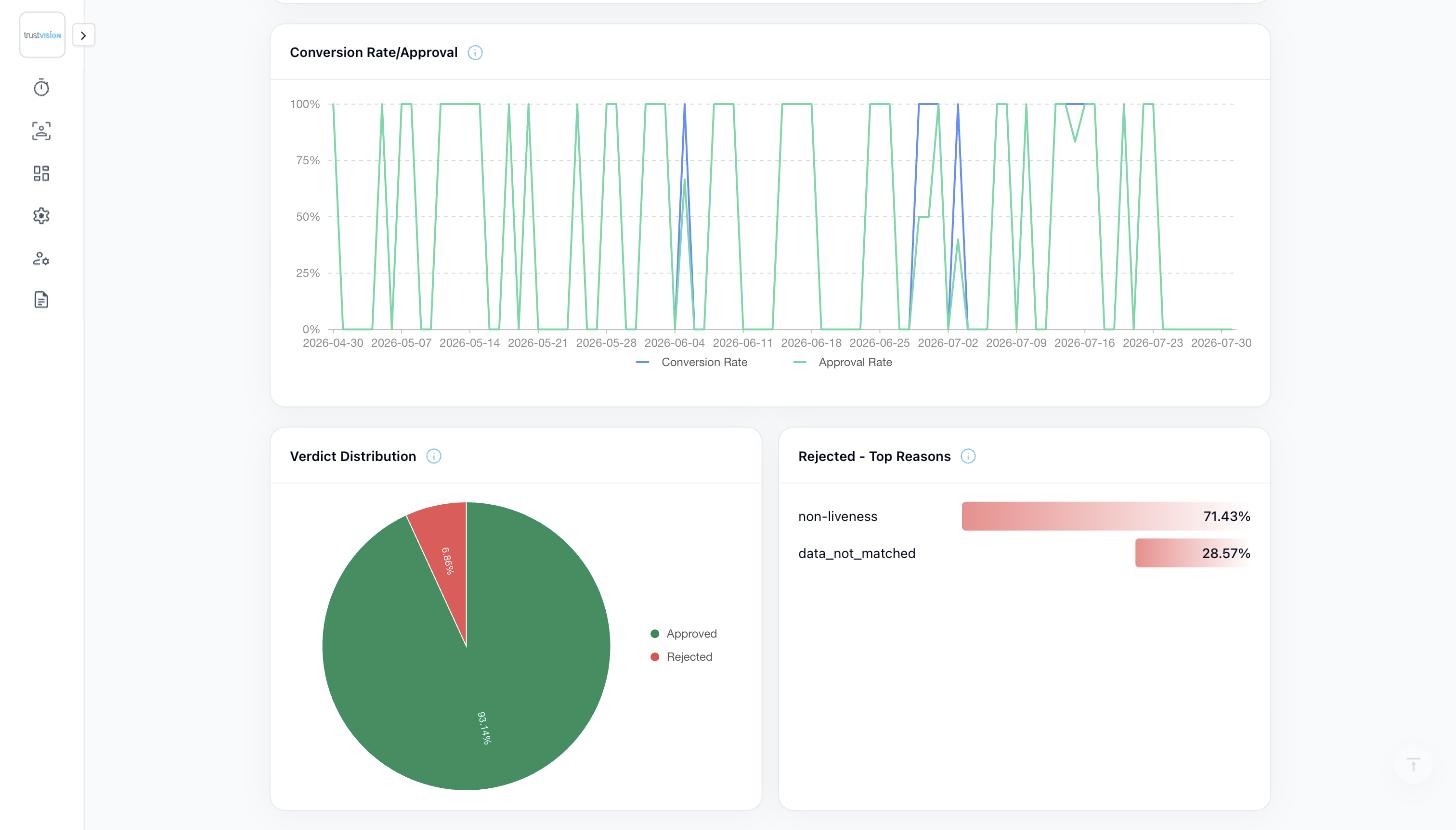
Conversion Rate / Approval — a trended chart of conversion and approval rates over the date range, so you can see whether a recent change (a new workflow, a new document type, a threshold change) improved or hurt performance.
Verdict Distribution — a breakdown of how applications are resolving: Approved, Rejected, or sent to Review.
Rejected — Top Reasons — the most common reasons applications are being rejected (e.g. tampering detected, liveness failed, document unreadable). This is the single most useful view for deciding what to fix first — a high volume of "document unreadable" rejections points to a capture UX problem, while a high volume of "tampering detected" points to a fraud pattern worth investigating. Review it at least monthly as an input to whether a workflow, risk-level group, or document type needs adjustment.
Related areas
- To see the full record of a single applicant's journey — including their submitted photos and each individual check result — see Applications.
- To change which steps run in a journey, or add/remove a document type, see Workflows.
- To route different lending pathways to different workflows, see Channels.