Alerts
An alert is created every time a rule or model matches. Alerts are the raw detection record: they tell you what matched, who it concerns and which case, if any, it was routed to. Use this page to explore detections across all rules — for daily case work, start from All cases instead.
What you can see
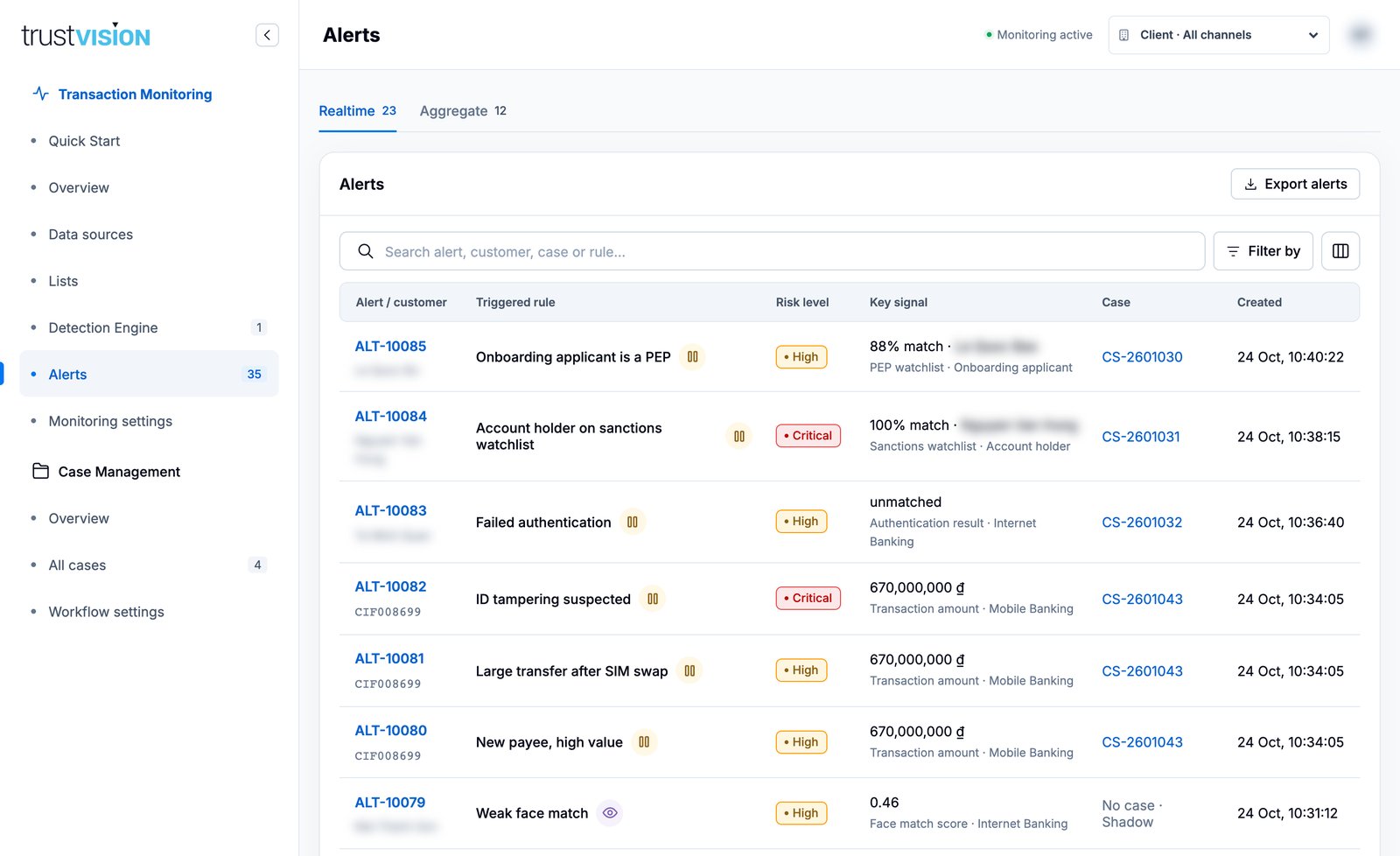
Alerts are split into Realtime and Aggregate tabs. Each row shows:
- Alert / customer — the alert ID (for example
ALT-10085) and the customer. - Triggered rule — with a small icon for the rule's effect, for example a pause icon when the transaction was held and an eye icon for a Shadow rule.
- Risk level.
- Key signal — the value that made the rule fire, such as an amount, a face match score or a watchlist match percentage, plus its source and channel.
- Case — the linked case, or No case · Shadow (Shadow rules only record) / No case · Rejected (a Realtime Reject rule declines the transaction at once, so nothing is left to decide).
- Created — date and time.
Filters
Search by alert, customer, case or rule, and open Filter by to filter by Risk, Rule, Data source, Outcome (Realtime: Hold / Reject / Shadow; Aggregate: Post-check / Shadow), Screening (all alerts, watchlist hits, or a specific watchlist) and Created time. Export alerts downloads the filtered list.
Alert details
Click an alert to open its panel.
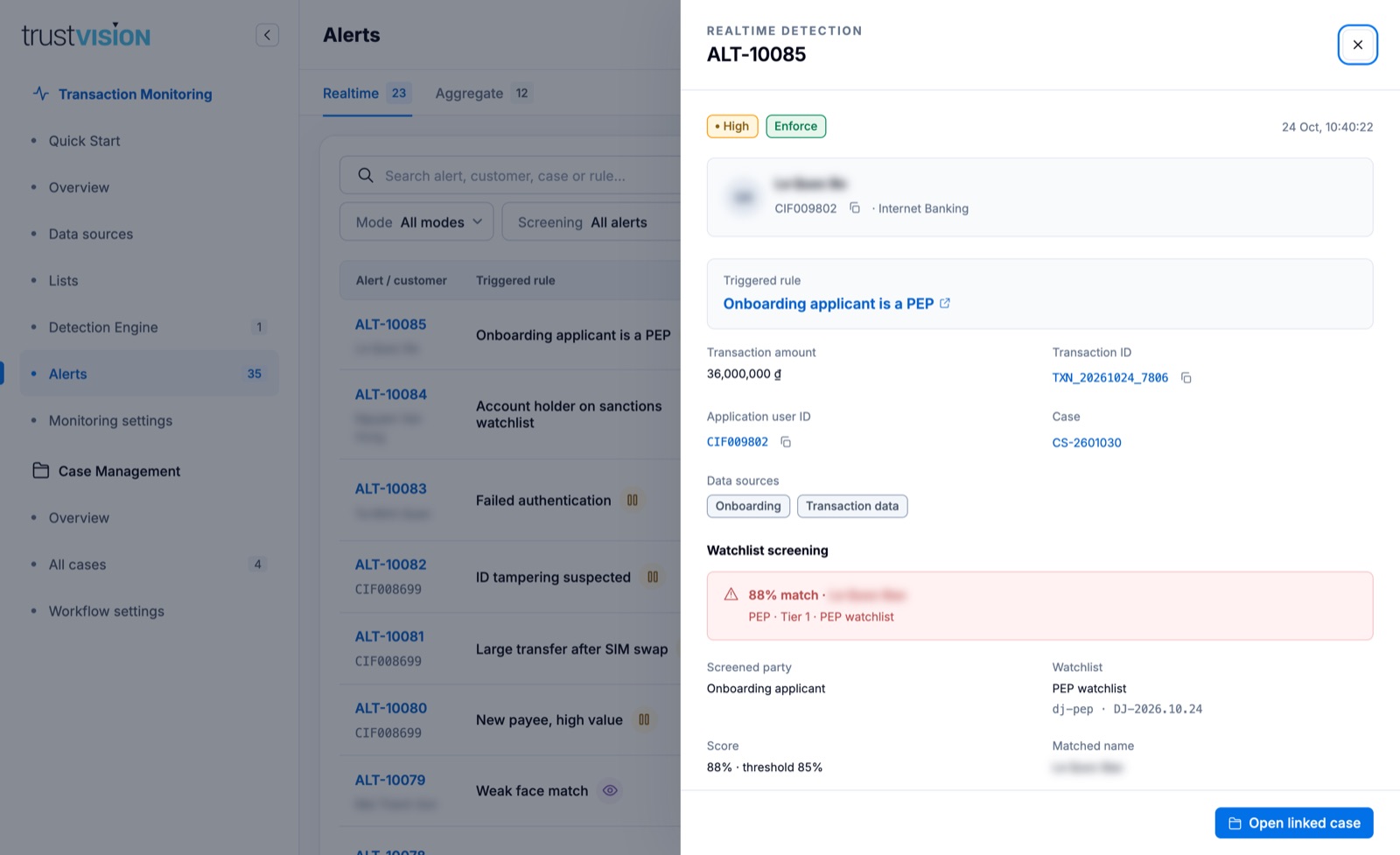
- Risk and mode badges, and the detection time.
- Customer — name, customer ID (with copy button) and channel.
- Triggered rule — click to open the rule.
- Transaction amount, Transaction ID, Application user ID and the linked Case.
- Data sources used by the rule.
- Watchlist screening (when applicable) — match score against the threshold, the matched name, the watchlist and its version, and any adjustments from date of birth, country or ID number.
Click Open linked case to continue in Case Management.
Shadow alerts are kept for analysis but never create a case and never affect the verdict sent to your platform.
Related areas
- To tune the rule behind an alert, see Detection rules.
- To act on an alert through its case, see Investigating cases.