Case overview
The Case Management overview is the team lead's view of the investigation queue. It shows how much work is open, which held transactions are about to breach their SLA, who is overloaded and how cases are being resolved — so you can rebalance work before a deadline is missed.
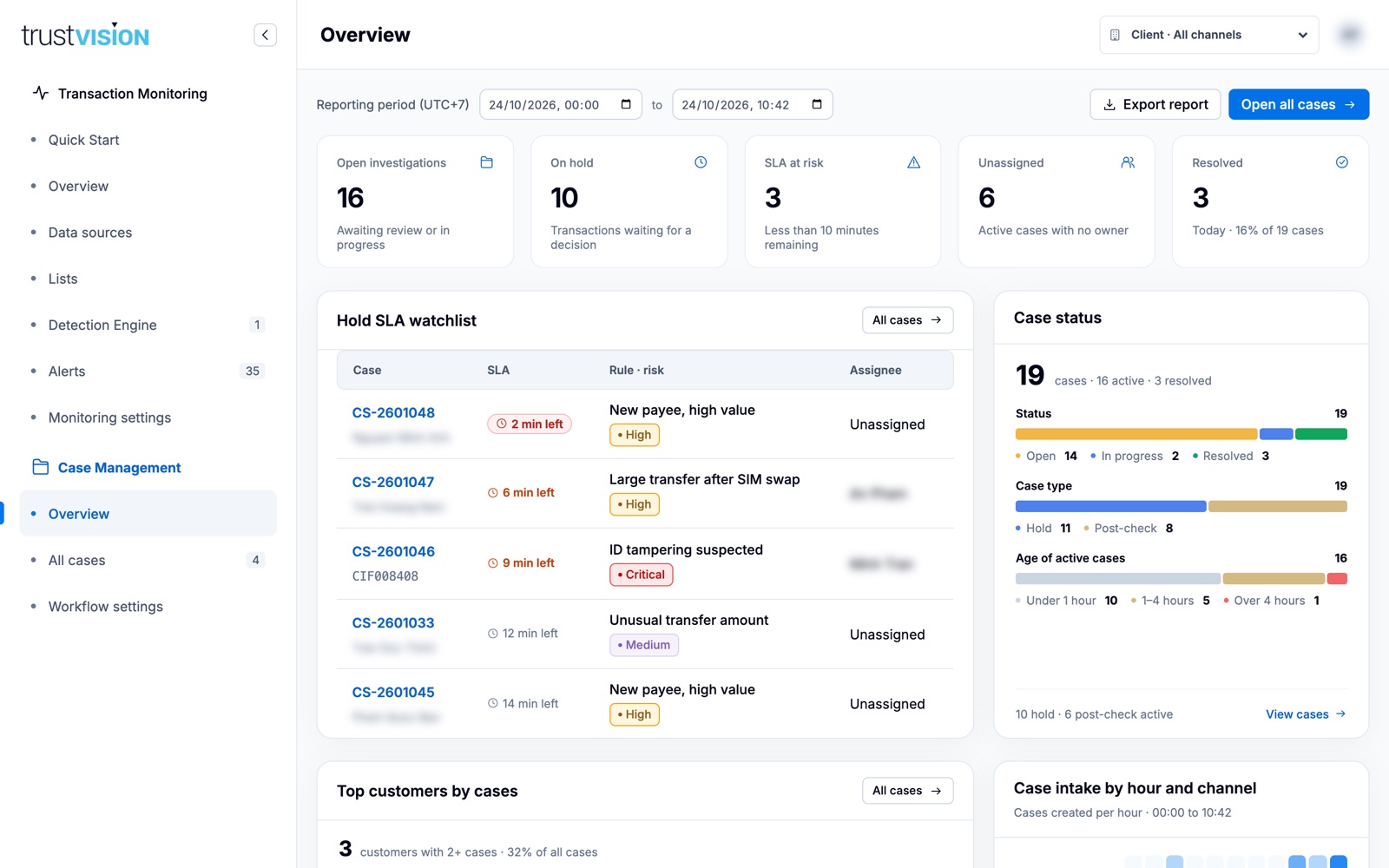
What you can see
KPI cards
- Open investigations — cases awaiting review or in progress.
- On hold — transactions paused and waiting for a decision.
- SLA at risk — hold cases with less than 10 minutes remaining.
- Unassigned — active cases with no owner.
- Resolved — cases closed today, with their share of all cases.
Click a card to open the matching filtered case list.
Queue health
- Hold SLA watchlist — the hold cases closest to their SLA deadline, with time left, rule, risk and assignee. Start here every shift.
- Case status — totals by status (Open, In progress, Resolved), by case type (Hold, Post-check) and by age of active cases (under 1 hour, 1–4 hours, over 4 hours).
- Workload by assignee — active, hold, post-check and at-risk cases per analyst, with a load bar. A banner warns when active cases are unassigned; Review unassigned holds opens them directly.
Patterns
- Top customers by cases — customers with two or more cases (tagged Repeat), their case mix and total exposure.
- Case intake by hour and channel — heatmap of when cases are created, with the peak hour called out.
- Cases by rule — which rules generate the most cases, active vs. resolved.
Outcomes
- Resolution outcomes — hold verdicts (Approved, Rejected, Step up, Block customer user), post-check dispositions (False positive, True positive, Inconclusive) and how many hold decisions were made automatically on SLA expiry.
What you can configure
- Reporting period (UTC+7) — change the time range for every widget.
- Export report — download the current view.
- Open all cases — go to the full queue.
A high share of False positive dispositions for one rule in Resolution outcomes and Cases by rule is a strong signal to tune that rule — share it with the rule owner.
Related areas
- To work individual cases, see Investigating cases.
- To change the hold SLA and expiry decision, see Workflow settings.